

With the rise of AI and virtualization now impacting almost every area of IT infrastructure, it’s easy to see why businesses are looking to move as much as possible of their IT to increasingly digital solutions. And with it now becoming mainstream knowledge that data centers are so energy-heavy and considered negative for the environment, we’re experiencing more organizations that are ever looking to shift their focus from the physical.
Yet it may not be the best possible move for all businesses to simply uproot their traditional data centers and haul their IT over to a virtualized environment in all cases. But why, and what should they consider when looking to do so? Let the specialists at Procurri explain…
What’s the Difference between a Traditional (Physical) Data Center and Data Center Virtualization?
A traditional data center is a physical facility housing the IT equipment needed by an organization to run its business. This includes servers, storage facilities, and networking equipment as well as the supporting tech and facilities to manage them. This data center (often considered the IT ‘hub’ of the organization, or at least part of it) manages:
- The computing, memory and processing power for the data transmitted to and from the network
- The storage of business data
- Networking facilities to connect the components internally and externally
- The infrastructure power and cool the hardware appropriately.
Historically, data centers tended to be on the same physical site as an organization’s main office – but increasing power demands mean that the room required is often fairly large. This means that for many organizations with large IT infrastructure, they now opt to either house their data center/s off-site or at a venue run by a third-party data center operator (known as a colocation).
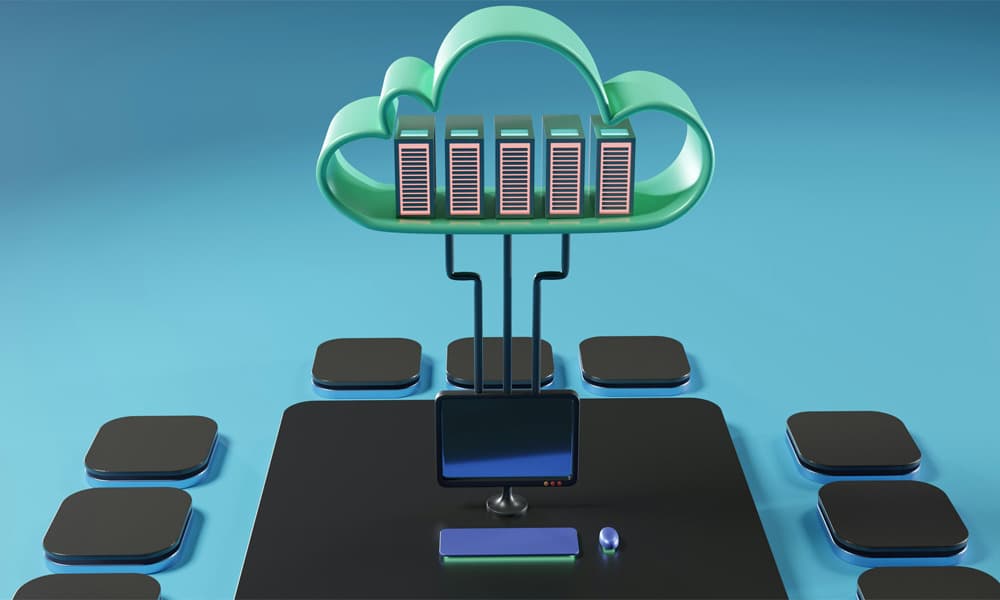
It is a common misconception that data center virtualization does not require a physical space, as its infrastructure and data reside ‘in the Cloud’. However, this is not quite true. All computing requires some form of physical machine, even if not physically present within the site of the business utilizing it. Instead, virtualized data centers are known as SDDCs (Software-Defined Data Centers). While it does indeed require a physical space for the housing of IT hardware, it does not contain as much as a traditional data center – as the servers and some other technical components are virtualized.
SDDCs rely on VMs (Virtualized Machines) and virtualized servers to manage their data. A single physical server can host multiple virtual servers; reducing the need for physical space. This doesn’t provide total virtualization as such, but does provide a physical/virtual mix of functionality. This concept is central to Cloud Computing across both public and private facilities, and allows for the provision of IaaS (Infrastructure as a Service).
While both types of data center do require a physical space for hardware, the latter requires considerably less; and we can expect to see the boundaries of virtualization expand and grow well into the future to reduce this footprint further.
The Benefits of a Traditional (Physical) Data Center vs. The Benefits of Data Center Virtualization
While its physical footprint may be larger, and the virtualization of data centers helps reduce this, there are pros and cons to each solution – and businesses must make an informed decision as to which would work best for the needs and idiosyncrasies of their organization.
The following can be considered a simplified foundation for the benefits of each solution:
| Traditional Data Center | Virtualized Data Center | |
|---|---|---|
| Build | Can be built from scratch to exact specifications; however, build is expensive | Can require large initial investment but not all existing software may be compatible, which can result in additional spend |
| Access Controls | Access to the facility can be restricted easily by the organization | Shared devices can open security vulnerabilities |
| Server Utilization | Low latency access to applications | Enhanced performance through greater overall utilization with reduced bandwidth requirements |
| Energy Efficiency | Energy heavy; typically require plenty of cooling equipment | Energy and physical footprint can be easily halved (if not more) |
| IP Addresses | Reliance on static IP addresses | Use both static and dynamic IP addresses |
| Vendor Neutrality | Can be locked to a single OEM’s hardware; causing inflexibility | Considerably less maintenance but can result in software lock-in |
| Scalability | Will require physical intervention or upgrade | Easy to grow with rapid deployment of virtual resources |
| Data Back-Ups and Recovery | Can be done automated but is not as fast as Virtual | Faster data replication makes back-up and recovery quicker |
Cluster Configuration: Physical and Virtual
Organizations frequently operate their servers in ‘clusters’, to group them into managing workloads, ensuring high availability and balancing overall loads to avoid issues.
In physical data centers, this includes the clustering of a number of physical servers by networking them together. Each server (node) which would otherwise operate independently is grouped to create a single and more powerful system managed by overarching software. This is intended to provide high availability and efficient load balancing and enable failover if one server in the group experiences issues or fails entirely. This pools the resource and supplies it to the data center as one unified entity.
Each node maintains its own CPU, RAM and storage, and are connected via a fast private network for constant interconnected communication (sometimes called heartbeats); providing a single IP address. Cluster software manages the distribution of tasks and monitoring of performance and health.
In virtualized data center environments, the physical servers (hosts) from which VMs run are pooled together and managed by another specialist software (most commonly VMware vSphere, but there are plenty such solutions available). This aims to load balance all of the VMs efficiently.
Should a host fail, all affected VMs can be migrated to another healthy host to ensure continuous service to end users. This is complemented by the consistent balancing of workloads in real-time by a DRS (Distributed Resource Scheduler). An administrator is able to gain an overview of all of this happening as one cohesive unit, simplifying management and scalability.
Both techniques of clustering rely on the grouping of physical hardware – it’s just the latter’s physicality is likely to be less.
Traditional Data Centers vs. Virtualized Data Centers: The Costs
One of the biggest differences that businesses need to consider when comparing data center types is the cost structures they can expect to encounter for their initial build as well as their ongoing operation.
Traditional data centers are largely built on the model of CapEx (Capital Expenditure). This relies on heavy upfront investment; primarily into the physical hardware of servers, networking equipment, storage facilities, real estate, power costs and cooling solutions, as well as the ongoing costs of regular hardware refreshes. While such cycles can be vastly planned for or even extended and delayed (not least through the provision of Third Party Maintenance!), any issues experienced along the way may present unexpected financial demand and can be costly should expansion be required.
However, with most of their resources virtual, virtualized data centers operate mainly on OpEx (Operational Expense) models. This sees resources paid for on a Pay-As-You-Go basis, allowing for costs to be scaled up or down as required based on demand. This makes cash flow more flexible, and can help shift expenses from long-term depreciation to predictable monthly or usage-based billing. This all happens alongside the lower physical real estate, energy, security and maintenance costs.
Traditional Data Centers vs. Virtualized Data Centers: Performance and Reliability
There is no doubt that businesses must select the most appropriate data center solution for their organization; and it must operate well enough to provide good performance and a high level of reliability not just to those within the business but also to any external end users – after all, this is what will differentiate them from their competitors.
Traditional data centers directly tie performance to physical hardware, but keeps dedicated resources for predictable workplace management and consistency. However, when looking to scale up, progress can be slow and expensive. Furthermore, failures can result in downtime unless sufficient redundant systems are already in place.
Virtual data centers are designed specifically for redundancy and high availability. With resources distributed across several physical machines rather than dedicated one thing at one time, failure can be quickly rectified with automatic shifts to other machines; making the virtual environments considerably strong in disaster recovery and business continuity scenarios. This often curries favour with those looking for a strong business case for increased security measures relating to data centers.
Performance wise, the automated load balancing, auto-scaling and performance monitoring of virtualized data center environments gives them the advantage over traditional data centers. While performance can be affected by network connectivity, reputable providers invest heavily in infrastructure to maintain consistent service levels. That said, traditional set-ups can carry high performance even compared to virtual environments when managed correctly – and the age or complexity of traditional configuration need not impact this.
Speak to the Experts
Whether your business is operating in a traditional, virtualized or hybrid environment, the Procurri team can help you maximize your performance and optimize your service. Contact our specialist engineers today to learn more and increase your data center capabilities – without breaking the bank.